Showing posts with label #TechSupport. Show all posts

Thursday, October 7, 2021

How to Lock Your Windows 11 PC When You Walk Away

win11_lock_hero_2.jpg?width=600&height=2
Using a Windows 11 feature called Dynamic Lock, you can make your PC automatically lock and secure itself when you physically step away out of Bluetooth range. All it takes is a linked Android smartphone and a few changes in Settings. Here’s how to set it up.

Read This Article on How-To Geek ›

Source: https://www.howtogeek.com/758777/how-to-lock-your-windows-11-pc-when-you-walk-away/
Droolin’ Dog sniffed out this story and shared it with you.
The Article Was Written/Published By: Benj Edwards


! #Headlines, #Computers, #Cybersecurity, #Newsfeed, #Privacy, #TechNews, #TechSupport, #TechTips, #Windows, #Windows11, iphone android smartphone ipad, #News

Sunday, August 22, 2021

How to Check Your PC’s Specs on Windows 11

windows_11_basic_hero_6-1.jpg?width=600&
If you need to check your PC’s specifications—such as how much RAM or what type of CPU your machine has—while running Windows 11, it’s as easy as a trip to Settings. We’ll show you how to find these details.

Read This Article on How-To Geek ›

Source: https://www.howtogeek.com/747561/how-to-check-your-pcs-specs-on-windows-11/
Droolin’ Dog sniffed out this story and shared it with you.
The Article Was Written/Published By: Benj Edwards


! #Headlines, #Computers, #Newsfeed, #TechNews, #TechSupport, #TechTips, #Windows, #Windows11, #News

Wednesday, July 28, 2021

How to Raise Your Hand in Google Meet

How-to-raise-hand-in-Google-meet-lede.pn
While using Google Meet for a team meeting, you might want to raise your hand virtually to let people know that you want to speak. We’ll show you how to raise your hand in Google Meet.

Read This Article on How-To Geek ›

Source: https://www.howtogeek.com/737546/how-to-raise-your-hand-in-google-meet/
Droolin’ Dog sniffed out this story and shared it with you.
The Article Was Written/Published By: Samir Makwana


! #Headlines, #Apps, #CloudComputing, #Google, #Newsfeed, #TechNews, #TechSupport, #TechTips, #News

Friday, July 23, 2021

What Happens If I Don’t Upgrade to Windows 11?

win10_question_mark_hero.jpg?width=600&h
With Windows 11 just around the corner and Windows 10 support ending in 2025, you might be wondering what will happen to your PC if you don’t upgrade. We explore the possibilities.

Read This Article on How-To Geek ›

Source: https://www.howtogeek.com/742602/what-happens-if-i-dont-upgrade-to-windows-11/
Droolin’ Dog sniffed out this story and shared it with you.
The Article Was Written/Published By: Benj Edwards


! #Headlines, #Computers, #Newsfeed, #TechNews, #TechnologyNews, #TechSupport, #TechTips, #Updates, #Windows, #News

Friday, July 16, 2021

How to Use Steam’s “Proton” to Play Windows Games on Linux

steam-logo-linux-tux.png?width=600&heigh
Want to start gaming on Linux? With utilities like Steam’s Proton tool, it’s not a pipe dream anymore, even if your game is officially supported on Windows only. Here’s our complete guide to gaming on Linux using Proton.

Read This Article on How-To Geek ›

Source: https://www.howtogeek.com/738967/how-to-use-steams-proton-to-play-windows-games-on-linux/
Droolin’ Dog sniffed out this story and shared it with you.
The Article Was Written/Published By: Jordan Gloor


! #Headlines, #Computers, #Entertainment, #ExtremeTech, #Gaming, #Linux, #Newsfeed, #TechNews, #TechSupport, #TechTips, #Windows, linux ubuntu, #News

Monday, July 5, 2021

How to Fix Windows 10 Stuck in Airplane Mode Error

windows-stuck-in-airplane-mode-featured. Just like Airplane Mode on our mobile phones, Windows PC and laptops have a similar option. With the Airplane Mode enabled, your PC will stop all forms of network connection, including Wi-Fi, Bluetooth, LAN, mobile data, etc., to prevent interfering with the navigational instruments on an airplane. Recently, several Windows 10 users have reported they are getting stuck in Airplane Mode and cannot turn it off. This means that they can’t connect to Wi-Fi, Bluetooth, etc. If you are experiencing the same issue, here are some ways to disable Airplane Mode in Windows 10. Related: 8 Windows 10 Easter Eggs and Secrets… Read more14596672.gif

Source: https://tracking.feedpress.com/link/12555/14596672/fix-stuck-in-airplane-mode-error-windows
Droolin’ Dog sniffed out this story and shared it with you.
The Article Was Written/Published By: Sagar Naresh


! #Headlines, #BugReport, #Computers, #Newsfeed, #TechNews, #TechSupport, #TechTips, #Windows, #News

Thursday, June 24, 2021

How to Check if Your Windows 10 PC Can Run Windows 11

Windows-11-hero.png?width=600&height=250
Windows 11 was officially announced as the latest version of Microsoft’s operating system on June 24, 2021. Naturally, you most likely want to know if your Windows 10 computer will be able to run the new update. Microsoft has a handy tool to help you check.

Read This Article on How-To Geek ›

Source: https://www.howtogeek.com/737021/how-to-check-if-your-windows-10-pc-can-run-windows-11/
Droolin’ Dog sniffed out this story and shared it with you.
The Article Was Written/Published By: Joe Fedewa


! #Headlines, #Computers, #Microsoft, #Newsfeed, #TechNews, #TechnologyNews, #TechSupport, #TechTips, #Windows, windows microsoft, #News

Sunday, June 13, 2021

How to Use the Feed in Microsoft OneNote

microsoft_onenote_hero_3.jpg?width=600&h
Similar to the feed you see when you log into a social media app, Microsoft provides this tool in OneNote. The feed in OneNote combines notes, shows page changes, and lets you add Sticky Notes in one handy spot.

Read This Article on How-To Geek ›

Source: https://www.howtogeek.com/729757/how-to-use-the-feed-in-microsoft-onenote/
Droolin’ Dog sniffed out this story and shared it with you.
The Article Was Written/Published By: Sandy Writtenhouse


! #Headlines, #Apps, #Microsoft365, #Newsfeed, #Office365, #Productivity, #TechNews, #TechSupport, #TechTips, #News

Wednesday, April 14, 2021

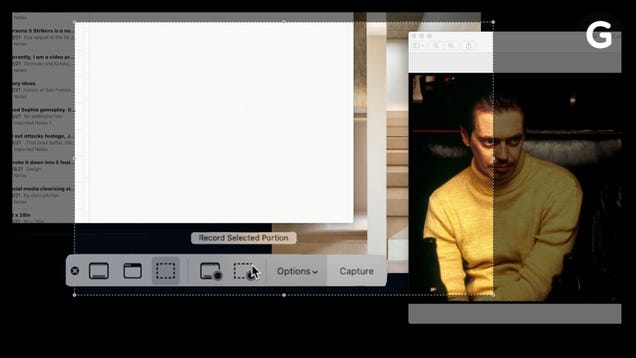
How to Take Screenshots on a Mac

affzr0pceqxf5pyrsui3.jpg

Taking a screenshot on your Mac might seem like basic computer knowledge, but there might be an even easier shortcut than what you’re used to.

Read more…

Source: https://gizmodo.com/how-to-take-screenshots-on-a-mac-1846684062
Droolin’ Dog sniffed out this story and shared it with you.
The Article Was Written/Published By: Caitlin McGarry


! #Headlines, #Computers, #Gizmodo, #Mac, #Newsfeed, #TechNews, #TechSupport, #News

Friday, February 19, 2021

Why Are My Microsoft Edge Tabs Faded? How to Turn off Sleeping Tabs

microsoft-edge-sleeping-tabs.png?width=6
Starting in version 88, Microsoft Edge automatically enables its Sleeping Tabs feature for all users. Wondering why some of your tabs are faded in the Edge toolbar? Here’s how the Sleeping Tabs feature works (and how to turn it off).

Read This Article on How-To Geek ›

Source: https://www.howtogeek.com/713905/why-are-my-microsoft-edge-tabs-faded-how-to-turn-off-sleeping-tabs/
Droolin’ Dog sniffed out this story and shared it with you.
The Article Was Written/Published By: Khamosh Pathak


! #Headlines, #Apps, #BrowserWars, #Microsoft, #Newsfeed, #TechNews, #TechSupport, #TechTips, #News

Friday, February 12, 2021

Biden moving to withdraw Trump-approved Medicaid work rules

ap20325720994265-1.jpg

The Biden administration on Friday will notify states it plans to revoke Medicaid work requirements, starting the process of dismantling one of the Trump administration’s signature health policies.

The move is one of several steps that Biden’s health department is expected to take this week to unravel the contentious work rules long criticized by Democrats, according to internal documents obtained by POLITICO.

The documents — which were labeled “close hold” — do not make clear how quickly Biden will cut off work rules the previous administration approved in a number of states, which for the first time were allowed to mandate that some people work or volunteer as a condition of enrollment in the low-income health care program.

Health officials are also preparing to withdraw the Trump administration’s 2018 letter that first announced the work requirements policy, and rescind a separate letter from earlier this year aimed at making it more difficult for the incoming Biden administration to quickly overturn the policy.

“CMS has serious concerns that now is not the appropriate time to test policies that risk a substantial loss of health care coverage or benefits in the near term,” according to a health department draft rollout plan entitled “Medicaid Work Requirement Rescission.”

President Joe Biden, who has targeted other Trump health policies as he looks to build on Obamacare, has long signaled plans to unravel the Medicaid work requirements. Democrats have criticized the rules as unlawful and aimed at kicking people off the program’s rolls.

Trump Medicaid chief Seema Verma, who was critical of Obamacare’s expansion of Medicaid to poor adults and crafted the requirements, argued they would encourage healthy people to work and help keep state Medicaid programs financially sustainable.

Biden last month issued an executive order directing his health department to identify policies that fail to “protect and strengthen Medicaid.” But the draft rollout plan obtained by POLITICO points to the coronavirus pandemic as the central reason for rolling back the work rules, arguing that the crisis has “greatly increased the risk” that the policy will lead to “unintended coverage loss.”

“In addition, the uncertainty regarding the lingering health consequences of COVID infections further exacerbates the harms of coverage loss or lack of access to coverage for the Medicaid beneficiaries,” the plan said.

The move also comes as the Supreme Court is slated to consider the validity of the work rules on March 29. Lower courts have so far blocked attempts to institute the work rules, which led most states with the requirements to halt their enforcement. Biden’s plan to withdraw the work rules could render the Supreme Court case moot.

Centers for Medicare and Medicaid Services did not respond to multiple requests for comment.

Ten GOP-led states that applied for the Trump administration’s permission for work rules were approved or “considered approved,” according to the draft rollout plan. Several more states had sought permission for work rules but had not been approved before Trump left office.

The work rules were approved through Medicaid waivers, which allow states to test ideas for health coverage. A new administration typically can unwind waivers that it believes does not support Medicaid goals, though states may protest the decision.

In the final weeks of the Trump administration, Verma asked states to sign contracts that would establish a lengthy process for unwinding work requirements and other conservative changes to their Medicaid programs. Medicaid experts have questioned whether those contracts are legally enforceable.

The health department on Friday is also planning to scrub some references to the work requirements program and related documents from the government’s Medicaid website.

Instead, it will post a link to an HHS document entitled “Medicaid Demonstrations and Impacts on Health Coverage: A Review of the Evidence.” The document, among other topics, will address the “impact of work requirements on Medicaid’s commitment to Americans in need,” the draft rollout plan said.

Only one state, Arkansas, ever fully implemented the Medicaid work rules. About 18,000 people lost Medicaid coverage in 2018 during the few months the requirements were in effect, before a judge blocked them.

Source: https://www.politico.com/news/2021/02/11/biden-withdraws-trump-medicaid-rules-468759
Droolin’ Dog sniffed out this story and shared it with you.
The Article Was Written/Published By: Adam Cancryn


! #Headlines, #Biden, #Employment, #Money, #Newsfeed, #Obamacare, #Political, #Politico, #TechSupport, #Trending, biden trump, #Coronavirus, #Health, #News, #Politics, #Protest, #Trump

Tuesday, January 26, 2021

How to Change the Default Search Engine on Chrome

chrome_hero.jpg
Google develops the Chrome browser, but you don’t have to use Google’s search engine with it. You can choose from any number of search engines and make them the default. We’ll show you how to do it.

Read This Article on How-To Geek ›

Source: https://www.howtogeek.com/710159/how-to-change-the-default-search-engine-on-chrome/
Droolin’ Dog sniffed out this story and shared it with you.
The Article Was Written/Published By: Joe Fedewa


! #Headlines, #Apps, #BrowserWars, #Chrome, #Newsfeed, #Productivity, #Search, #TechNews, #TechSupport, #TechTips, #News

Wednesday, January 20, 2021

How to Add a Signature in Outlook

Featured-Add-Signature-Outlook.jpg Most of us use a well-thought-out signature in our outgoing emails. It’s the trait of a professional, and the recipient takes you more seriously. Outlook offers diverse options in adding the signature of your choice. You can customize them further with images, business cards, hyperlinks, logos, and colorful backgrounds. Here is how to add a signature in Outlook, whether you’re using its webmail, desktop or mobile app. Adding a Signature in Outlook WebMail In the Webmail window, once you’re logged in, you can see a tiny gear icon on the top. Click to open a side panel… Read more14230478.gif

Source: https://tracking.feedpress.com/link/12555/14230478/how-to-add-signature-in-outlook
Droolin’ Dog sniffed out this story and shared it with you.
The Article Was Written/Published By: Sayak Boral


! #Headlines, #Apps, #Email, #Microsoft, #Newsfeed, #Office365, #Productivity, #TechNews, #TechSupport, #TechTips, #News

Wednesday, January 6, 2021

Amazon Buys Planes From Airlines Struggling With Pandemic Slowdown

d0g4qbsqpl2zhwrga9p0.jpg

Amazon has purchased 11 passenger planes from Delta and WestJet that will be converted into cargo jets, according to a press release from the Seattle-based online retailer. It’s the first time Amazon has purchased planes outright rather than just lease them and comes as the airline industry struggles from a slowdown…

Read more…

Source: https://gizmodo.com/amazon-buys-planes-from-airlines-struggling-with-pandem-1845998305
Droolin’ Dog sniffed out this story and shared it with you.
The Article Was Written/Published By: Matt Novak


! #Headlines, #Amazon, #Aviation, #BusinessNews, #CoronaVirus, #Economy, #Gizmodo, #Newsfeed, #TechNews, #TechSupport, #Coronavirus, #News

Wednesday, December 23, 2020

Smart home guide for beginners: Make your home more convenient to live in without spending lots of time or money

gettyimages-616878868-3000px-100768087-l

One way to build out a smart home is to buy lots of components—sensors, smart bulbs, security cameras, speakers, and whatnot—and connect them all to a hub that helps them communicate with each other and with you, via your smartphone. But let’s be real: That can involve spending a lot of money and investing a lot of time. And for some people, it’s just overkill. If your wants and needs are simpler, just a few relatively inexpensive products will deliver most of the conveniences a high-end smart home can deliver, and on a much more modest budget.

And if you make sure those smart home products are compatible with each other, you’ll build a solid foundation that you can expand over time. The key is knowing which smart home products don’t depend on a smart home hub to operate. While hubs offer advantages—the most important of which is having a single user interface to control everything—they’re not always essential. One thing you must have, however, is a good wireless router—ideally one that can reach all corners of your home.

To read this article in full, please click here

Source: https://www.techhive.com/article/3297744/smart-home-guide-for-beginners-how-to-make-your-home-more-convenient-to-live-in.html#tk.rss_all
Droolin’ Dog sniffed out this story and shared it with you.
The Article Was Written/Published By: Christopher Null


! #Headlines, #Gadgets, #Newsfeed, #Smarthomes, #TechNews, #TechSupport, iphone android smartphone ipad, #News

Monday, December 14, 2020

How to grow an opal at home

With a surprisingly small number of specialized items, it is possible to grow opals in a small home setup. For the process here, the only thing that’s a little hard to get ahold of is tetraethyl orthosilicate.

Note that growing pretty opals make take a little more time and dedication. — Read the rest

Source: https://boingboing.net/2020/12/14/how-to-grow-an-opal-at-home.html
Droolin’ Dog sniffed out this story and shared it with you.
The Article Was Written/Published By: Andrea James


! #Headlines, #CoolStuff, #DIY, #Newsfeed, #Random, #TechSupport, #Video, #News

Wednesday, December 9, 2020

How to Uninstall or Disable Safari Extensions on Mac

Safari-User-on-Mac-Using-Extensions.png
Safari extensions add additional functionality to the browser. They function like mini-apps, and on the Mac, they are installed and behave as apps themselves. If you don’t want to use a Safari extension anymore, here’s how to uninstall it.

Read This Article on How-To Geek ›

Source: https://www.howtogeek.com/702758/how-to-uninstall-or-disable-safari-extensions-on-mac/
Droolin’ Dog sniffed out this story and shared it with you.
The Article Was Written/Published By: Khamosh Pathak


! #Headlines, #Apple, #Apps, #BrowserWars, #Mac, #Newsfeed, #Safari, #TechNews, #TechSupport, #TechTips, #News

Sunday, December 6, 2020

How to Make Gummy Bears

Gummy bears are some of the simplest candies to make at home. At their core, they are just 4 ingredients: water, sugar, gelatin, and flavoring. Water and gelatin, when blended, heated, and cooled, naturally form a chewy candy, so you don’t need any expensive equipment or odd ingredients to create homemade gummy bears. To get bear shapes, you will need gummy bear molds.

[Edit]Ingredients

[Edit]Quick and Easy Gummies

  • of cold water
  • 2 tbsp (20 g) of unflavored gelatin
  • 1 packet (85 g) of flavored gelatin

[Edit]Classic Gummy Bears

  • of gelatin, 250 bloom
  • of water
  • of sugar
  • of sorbitol powder
  • of glucose syrup, or
  • of tartaric or citric acid
  • of food grade essential oil, any flavor

Prep time: 20-25 minutes (active prep: 5-10 minutes)

Cook time: 10-15 minutes

Total time: 30-40 minutes

[Edit]Steps

[Edit]Quick and Easy Gummies

  1. Place of cold water in a small saucepan on the stove. Don’t start the stove yet. It is easiest to mix the ingredients right in the pan since the gummy mixture will stick slightly if you try and transfer it from another container.
    Make Gummy Bears Step 1 Version 6.jpg
  2. Add 2 tbsp (20 g) of unflavored gelatin to the water. You can find this at most grocery stores in the baking aisle.
    • For a vegan substitute, try agar agar powder, which you can buy online or from a health food store. You can substitute agar agar for gelatin in the same amounts, so there’s no need to adjust your measurements for this recipe.[1]
  3. Add 1 packet (85 g) of flavored gelatin and mix well. The most common brand is Jell-O. The flavor you use will determine the color and flavor of the final gummies.
    • Flavored gelatin comes in many flavors and colors, so you can make a whole rainbow of gummy bears. For example, you could get strawberry, orange, lime, and blue raspberry.
  4. Heat up the mixture on medium-low heat for 10-15 minutes. Just keep stirring occasionally so that all the gelatin is completely dissolved in the water. Go slowly so that none of the candy burns.
  5. Turn the heat off and pour the mixture into a mixing cup. Any cup that is easily poured is fine. You can also use an eyedropper or a candy pump for more intricate designs.
    Make Gummy Bears Step 5 Version 6.jpg
  6. Pour the mixture into your molds and put them in the freezer for 15-20 minutes. Simply pour the warm gelatin mixture into your candy mold and freeze it until it is set. The gummy bears are now ready to eat.[2]
    • If you don’t have a mold, you can make gummy drops on some parchment paper instead.
    • You can leave the gummies in the freezer longer, if you like. Frozen gummy bears are chewier and taste juicier than refrigerated or room-temperature gummies.[3] If you put them in an airtight container, they’ll keep for up to a year in the freezer before their quality starts to decline.[4]

[Edit]Classic Gummy Bears

  1. Pre-measure your ingredients to make classic “Gold Bears.” To get perfect, store-bought texture and taste in your gummies, you’ll need a few harder-to-find ingredients as well as high-end gelatin (known as 250 bloom). Measure your ingredients by weight instead of by volume for more accurate results. Weigh them out in advance and have them on hand to be quickly mixed in—timing in candy making is key. To make this classic gummy bear recipe, you’ll need:
    Make Gummy Bears Step 7 Version 5.jpg
    • of gelatin, 250 bloom
    • of water
    • of sugar
    • of sorbitol powder
    • of glucose syrup, or
    • of tartaric or citric acid
    • of food grade essential oil, any flavor
  2. Mix your gelatin and water. You can mix them together with a whisk or, like classic candy makers, in a water bath. If you’re mixing with a whisk, combine the water and gelatin directly in the saucepan over low heat until the gelatin dissolves.[5]
    • To do a water bath, warm a large bowl of water up so that it is hot, but not boiling. Mix the of gelatin and of water in a Ziplock bag and let it rest in the water bath for 30 minutes.
    • The bag should be free of lumps or streaks when it is fully mixed.
  3. Blend your sugar, sorbitol, and glucose syrup on the stove at medium heat. Stir the ingredients well so that they’re properly mixed up, but not boiling or bubbling. If you have a candy thermometer, get them to .
  4. Mix in your gelatin mixture slowly. With the heat still on, mix in the gelatin and water mixture from earlier. Stir until it is all completely mixed, then turn the heat off and move quickly to the next step.
  5. Add in your desired flavorings. You can flavor your gelatin with juice, flavoring acids (such as citric or tartaric acid), or flavored oils or extracts. You can also add 1/3 cup (about 77 g) of well-pureed fruit, like strawberries.
    Make Gummy Bears Step 11 Version 4.jpg
    • For instance, lime, lemon, or orange juice are all good choices if you want to add a burst of citrus flavor.
    • For a more unusual flavor, try a flavoring oil or extract, such as vanilla extract, orange rind oil, or cherry extract.[6] If you use an essential oil, make sure it’s labeled as “edible” or “food grade,” since some essential oils are harmful to eat.[7]
    • This is also the time to add any food coloring.[8]
  6. Pour the mixture into your mold. You can use a light coating of cornstarch to prevent the final gummies from sticking, but many gummy-making pans are already non-stick. Simply pour the mixture into the mold then freeze it for 4-5 hours, or until the gummies are firm and completely set.[9]

[Edit]Flavoring without Packets

  1. Sprinkle your gummies lightly with citric acid to get a sour coating. Citric acid is a preservative, and it is not great for your teeth, so go lightly. A small amount is enough for a nice sour kick.
    Make Gummy Bears Step 13 Version 4.jpg
  2. Use lemon and honey for citrus gummy bears. To make citrus gummy bears, you simply need to use some orange and lemon juice instead of a processed Jell-O packet. Honey also makes a healthier alternative to the corn syrup used in many store-bought gummies. To do this, mix the following ingredients in the saucepan, turn on the heat, then add 3 tablespoons (28 g) of gelatin. Continue like normal after the gelatin is added:
    Make Gummy Bears Step 14 Version 4.jpg
    • of orange juice
    • of lemon juice
    • of honey
  3. Try pureed strawberries or berries in your gummies. This incredible, fruity gummy is a big hit. Make sure the berries are thawed before adding them. Simply mix the following ingredients, then add 3 tbsp (28 g) of gelatin slowly as you heat up the mixture like normal.
    Make Gummy Bears Step 15 Version 4.jpg
    • ⅔ cup (174 g) of pureed strawberries/blueberries/raspberries
    • of water
    • of fresh lemon juice
    • of honey[10]
  4. Replace the water with milk for a creamier texture. If you don’t eat dairy, even almond, soy, rice, coconut, or oat milk works well and imparts a distinct, creamy texture and feel to the common gummy. To make creamy gummies, whisk half the milk in with the gelatin. Then heat it up like normal, whisking in the other half right at the end before it comes off the heat.[11]
    Make Gummy Bears Step 16 Version 4.jpg
    • Adding a touch of vanilla or almond extract, or even some cinnamon, to the mixture can take it to new heights.
    • This substitute works with basic gummies as well as the pureed fruit versions.

[Edit]Video

[Edit]Tips

  • The candy might stick to flimsy plastic molds, so try to get sturdy ones.
  • A very light coating of non-stick cooking spray can be used to line the plastic mold to make it easier for the candy to release when it is ready. Some recipes use cornstarch as well.
  • You can use 1 tsp (about 2-3 g) of Kool-Aid instead of flavored Jell-O.
  • Try using fruit purée mixed with water to thin it down. It will thicken up and give you an awesome burst of fruity flavor.

[Edit]Warnings

  • Not all gelatin is vegan, kosher, or halal. Check the ingredients carefully before purchasing if you have any special dietary needs.

[Edit]Things You’ll Need

[Edit]Quick and Easy Gummies

  • Small saucepan
  • Measuring cups and spoons
  • Whisk
  • Gummy bear molds

[Edit]Classic Gummy Bears

  • Kitchen scale
  • Small saucepan
  • Ziplock bag (for water bath)
  • Whisk
  • Gummy bear molds

[Edit]Related wikiHows

[Edit]References

[Edit]Quick Summary

  1. ↑ https://www.thekitchn.com/vegetarian-and-vegan-substitutes-for-gelatin-tips-from-the-kitchn-189478
  2. ↑ http://www.food.com/recipe/gummy-bears-15145
  3. ↑ https://www.today.com/food/20-foods-taste-better-frozen-bananas-grapes-chocolate-t108428
  4. ↑ https://www.stilltasty.com/fooditems/index/17366
  5. ↑ https://www.foodnetwork.com/recipes/food-network-kitchen/homemade-gummy-bears-3686862
  6. ↑ https://www.thekitchn.com/baking-tip-when-to-use-flavori-140218
  7. ↑ https://www.poison.org/articles/2014-jun/essential-oils
  8. ↑ http://www.chefsteps.com/activities/gummy-bears
  9. ↑ http://www.sheknows.com/food-and-recipes/articles/808735/how-to-make-gummi-candies-at-home
  10. ↑ http://www.diynatural.com/healthy-snack-ideas-homemade-gummy-bears/
  11. ↑ http://wholesome-cook.com/2014/03/31/homemade-gummy-bears-with-no-added-sugar-plus-10-tips-for-making-them-at-home/

Source: https://www.wikihow.com/Make-Gummy-Bears
Droolin’ Dog sniffed out this story and shared it with you.
The Article Was Written/Published By:


! #Headlines, #Cooking, #DIY, #Food, #HowTo, #Newsfeed, #Random, #TechSupport, #TechTips, #Health, #News

Tuesday, October 13, 2020

How to bake bread that looks like your face

A loaf that resembles your own face seems like a wonderful idea for Halloween dinner. At MAKE:, Matt Merkel Hess explains how to do a plaster cast of your face and then use it to make a terra cotta baking dish that will be the bread mold. — Read the rest

Source: https://boingboing.net/2020/10/13/how-to-bake-bread-that-looks-like-your-face.html
Droolin’ Dog sniffed out this story and shared it with you.
The Article Was Written/Published By: David Pescovitz


! #Headlines, #Cooking, #CoolStuff, #Creativity, #DIY, #Food, #Newsfeed, #Random, #TechSupport, #News, #WorldNews

Sunday, August 23, 2020

How to Enable Google Docs Dark Mode on Android

how-to-enable-google-docs-dark-mode-on-a While many Android apps have already happily embraced users’ requests for a dark mode, Google Docs was holding out. However, Google announced the new Google Docs dark mode in July 2020. As with most new features, it’s coming to users in stages, so if you don’t see it just yet, don’t worry. I personally didn’t receive the update until early August. Some users still haven’t gotten the update. Naturally, it’ll be available to G Suite customers first. Related: Can’t Upload Files to Google Drive? Here are a Few Fixes Not Just Google Docs Before you worry,… Read more13829680.gif

Source: https://tracking.feedpress.com/link/12555/13829680/enable-google-docs-dark-mode-android
Droolin’ Dog sniffed out this story and shared it with you.
The Article Was Written/Published By: Crystal Crowder


! #Headlines, #Android, #Apps, #Google, #Newsfeed, #TechNews, #TechSupport, #TechTips, iphone android smartphone ipad, #News